Auto-generated: the podcast, slides, and infographic below were produced by NotebookLM from the workshop corpus with no manual editing pass (see "How This Was Made" below). Treat them as orientation, not a citable source — they may oversimplify, drop nuance, or state something with more confidence than the source material warrants.

Audio overview
🎙

Workshop Podcast

A NotebookLM-generated deep-dive conversation synthesising the full workshop content — from tool basics through epistemic risks and institutional use cases. Good for orientation or revision on a commute.

🎙

Claude as Research Assistant

NotebookLM Audio Overview · ~40 min · generated March 2026

Visual slide deck
📑

Workshop Slide Deck

The full visual deck generated by NotebookLM from the workshop corpus — 21 slides covering the key concepts, frameworks, and research use cases. Browse inline or download.

21 slides · generated March 2026 · scroll or use the PDF controls above ⬇ Download PDF
Visual summary
🗺

Workshop Infographic

A NotebookLM-generated visual overview of the workshop's key concepts. Click to open full-size.
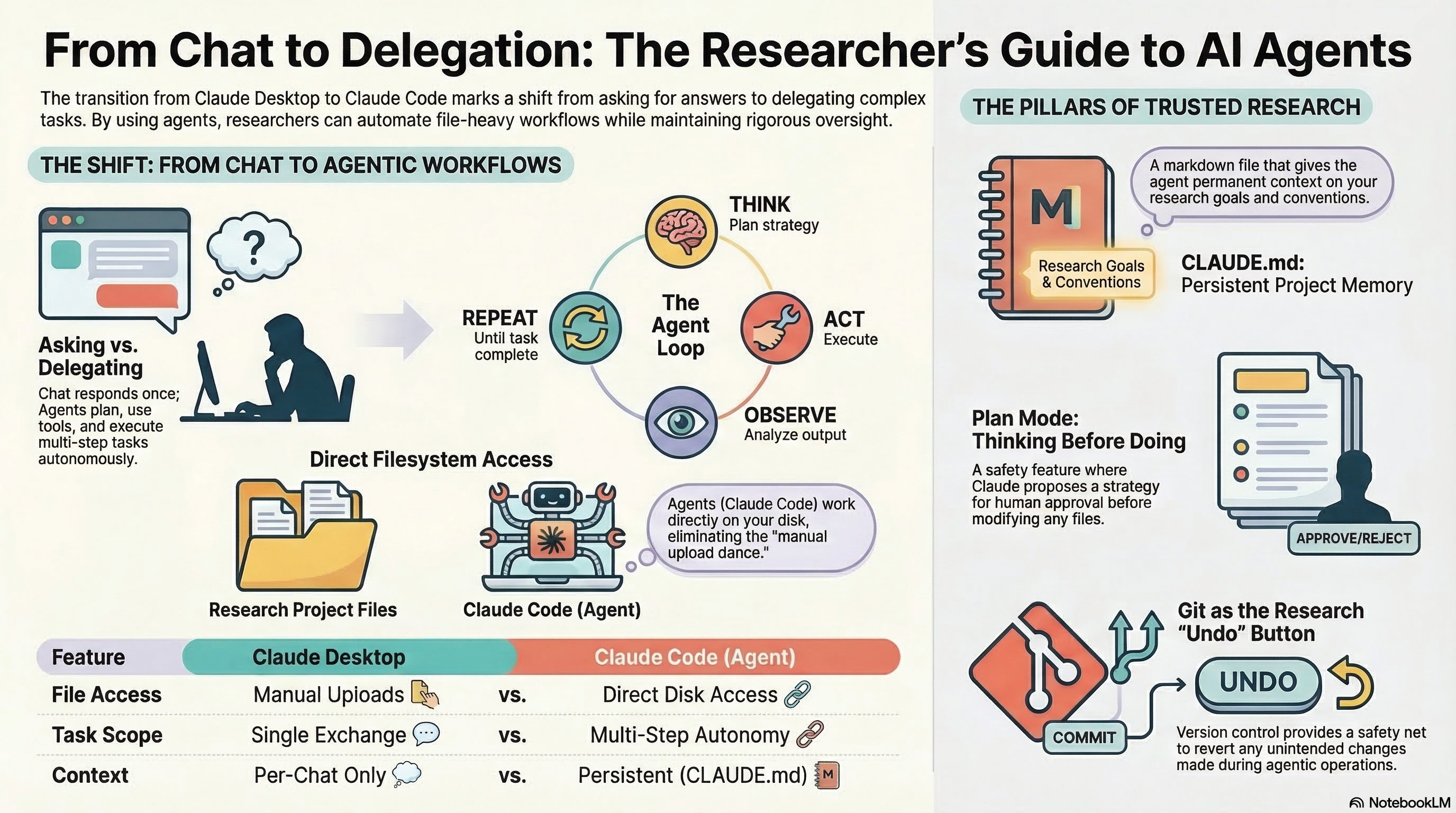
Claude as Research Assistant — workshop infographic

Generated by NotebookLM from the full workshop source corpus · March 2026 · Click to zoom

Behind the scenes

How This Was Made

These media artifacts were generated automatically from the workshop's written materials using a Claude + NotebookLM pipeline — a practical demonstration of the workflows the workshop teaches.

📝
1. Write the corpus
89 markdown documents written collaboratively by the presenter and Claude Code over multiple sessions — the same materials that make up this site.
🤖
2. NotebookLM skill
The Claude Code notebooklm skill was used to automate the full pipeline: upload sources, trigger artifact generation, download results — without touching the NotebookLM web interface.
🎙
3. Podcast generated
NotebookLM's Audio Overview feature synthesised the corpus into a ~40 min conversational deep-dive. Two AI hosts discuss the key ideas as if explaining them to a new researcher.
📑
4. Slides & infographic
NotebookLM generated the 21-slide deck and the visual infographic from the same source corpus — each artifact taking a different representational form of the same content.
5. Automated retrieval
Claude Code downloaded all artifacts via the skill's API, renamed them descriptively, and placed them in the project folder — no manual browser downloads required.
🌐
6. Published here
The build script (build/build.py) copies the assets to docs/assets/ on each rebuild, making them part of the site automatically.
This pipeline is itself a demonstration of Level 3–4 on the adoption spectrum: a repeatable, automated workflow where the human role is commissioning and reviewing, not executing. The same pipeline could regenerate all three artifacts from an updated corpus in under ten minutes. → Adoption spectrum · Skills ecosystem