Prompt gallery: research tasks
Copy-paste-and-adapt prompts for common humanities research tasks. Each prompt is drawn from the workflows and use cases documented in this project. Adapt the parts in [brackets] to your own context.
How to use this document: Find the task that matches what you want to do. Copy the prompt. Replace the bracketed parts with your specific situation. Add context from your CLAUDE.md if you have one. The notes beneath each prompt explain why it is phrased the way it is.
1. Reading and synthesis
Read a single paper critically
Read [paper.md].
1. What is the central argument in one sentence?
2. What evidence or method does it rely on?
3. What does it assume that it does not argue for?
4. Where is it weakest — what would a hostile reviewer say?
Why this works: The four questions force critical engagement rather than admiring summary. Question 4 is the most important — ask for the weakness before you need it, not after you've cited the paper.
Compare sources on a shared question
I have [N] papers in this folder on [topic/question].
1. What position does each take on [specific question]?
2. Where do they agree and where do they disagree?
3. Is any disagreement substantive (about the evidence) or terminological (about definitions)?
4. Which source has the most relevant evidence for the argument that [my argument]?
Why this works: The terminological/substantive distinction (question 3) often reveals that apparent disagreements are definitional — a distinction that is hard to make quickly when reading manually.
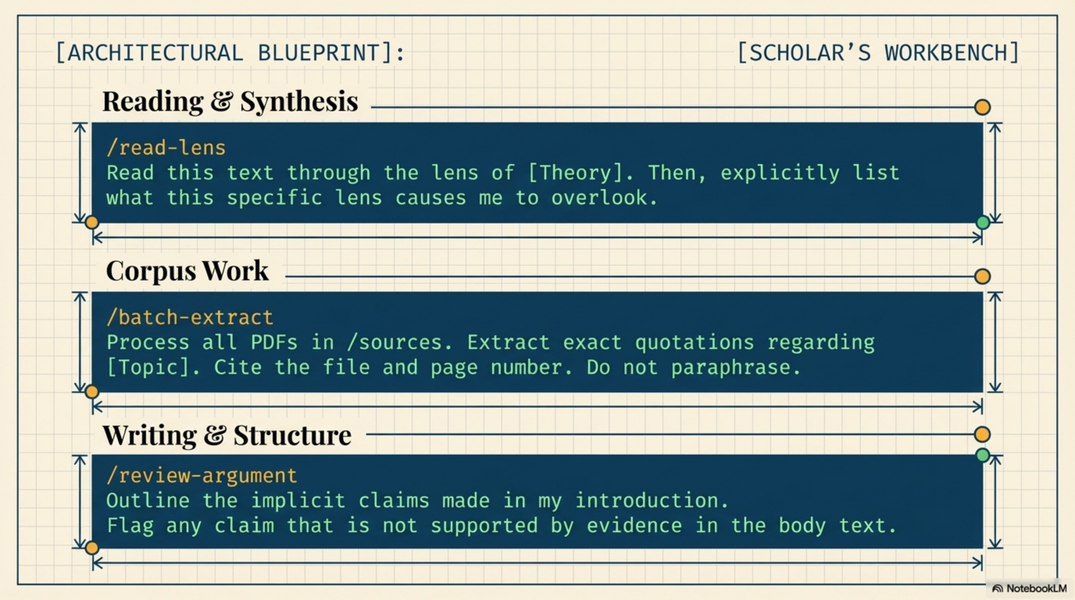
Read a source through a specific lens
Read [source.md]. I am writing about [my specific argument or question].
Identify:
(a) passages that directly support this argument, with exact quotes
(b) passages that complicate or contradict it, with exact quotes
(c) anything in this source that I might otherwise overlook given my focus
Why this works: Part (c) counters confirmation bias. It asks Claude to flag what your lens might cause you to miss — something a good research assistant would do that a simple search cannot.
Triage a reading list
I have [N] papers to read. My specific interest is [topic / question / argument I am developing].
For each paper:
1. Relevance to my interest: high / medium / low / none
2. Why (one sentence)
3. Suggested reading order and why

Papers: [list titles, or point to the markdown files in the folder]
Why this works: Saves the hour of "which of these should I actually read?" Reading order matters — how you understand each source depends on what you have read before it.
2. Corpus work
Triage a folder of documents
I have [N] documents in this folder.
They are [describe: archive scans / interview transcripts / primary sources / secondary literature].
For each file:
1. Can you read it? (yes / partial / no — note any OCR or encoding issues)
2. What does it contain? (2–3 sentences)
3. [Any specific feature to flag: dates, named persons, document type, language]

Write results to corpus_overview.md as a markdown table.
Add a "Notes" column for anything unusual.
Why this works: Makes the batch output persistent and scannable. The "can you read it?" question catches OCR failures before you build on them.
Extract structured data from a set of documents
Read all markdown files in this folder. Each one is a [document type].
For each document, extract:

- [Field 1]: [what it is and where to find it in the document]

- [Field 2]: ...

- [Field 3]: ...

If a field is absent or unclear, write "not stated" — do not infer.
Write results to extracted_data.csv with one row per document.
Why this works: The "not stated — do not infer" instruction is load-bearing. Without it, Claude will plausibly fill gaps rather than flag them, producing data you cannot trust.
Batch annotation
Read [source.md].
Mark every passage that [describes X / mentions Y / expresses Z].
For each marked passage: quote it exactly, then add one sentence explaining why it qualifies.
Write to [source]-annotations.md.
Why this works: The exact quotation requirement prevents paraphrase drift. The explanatory sentence makes the annotation auditable — you can check whether Claude applied the criterion correctly, and catch systematic errors.
Find connections across a corpus
I have read all the markdown files in this folder.
1. What themes appear in more than one document?
2. What contradictions or tensions exist across documents?
3. What gaps — questions raised but not answered — appear most often?
4. Are there any documents that stand out as outliers from the rest?
Why this works: Synthesises at a level that would take a human reader days. The gap and outlier questions are the most productive for research — they point toward where the existing literature falls short.
3. Writing support
Draft a section
Draft the [section name] section of my [paper / grant application / chapter].
Constraints: max [X] words; [formal/accessible/technical] register.
Key points to make: [list 3–5]
Do not add claims I have not already made in my notes.
Use my phrasing from [CLAUDE.md / a specific document] where possible.
Why this works: "Do not add claims" prevents confabulation of evidence. "Use my phrasing" keeps voice consistent and reduces the rewrite load.
Iterate on a specific paragraph
Read [draft.md]. I want to improve [this specific paragraph or section].
Specific problem: [too long / too vague / the transition doesn't work / the argument isn't clear]
Proposed direction: [your idea of what it should do instead]
Write three alternative versions, labelled A, B, C. Do not change the other paragraphs.
Why this works: Three labelled versions give you material to choose from rather than a single edit to accept or reject. Naming the specific problem prevents Claude from "improving" parts you didn't ask about.
Stress-test an argument
Here is my central argument: [state it in 2–3 sentences].
Play the role of a rigorous, hostile reviewer at [a leading journal in my field].
Identify:
(a) the three strongest objections to this argument
(b) the most important missing evidence
(c) any claims I make that a reviewer would ask me to defend with a citation
Do not soften the critique.
Why this works: "Do not soften" counteracts sycophancy. The hostile-reviewer framing produces more useful pushback than a supportive one.
Edit for clarity
Edit [document.md] for clarity.
My reader is [a non-specialist / a reviewer in [field] / a general academic audience].
Focus on: sentence length, passive voice, transitions between paragraphs.
Do not change my argument or add content — only clarify what is already there.
Show each change as: ORIGINAL: [sentence] → REVISED: [sentence]
Why this works: "Do not change my argument" preserves intellectual ownership. The before/after format makes the diff reviewable — you can accept, reject, or adapt each change independently.
4. Project setup
Build a CLAUDE.md from a conversation
I'm about to describe my research project.
Ask me five questions that would help you understand it well enough to assist with it.
After I answer all five, draft a CLAUDE.md file I can save in my project folder.
Why this works: The five-question approach surfaces what Claude needs to know. The act of answering also clarifies the project for you — better than writing a CLAUDE.md cold.
Set up a reading log
I am starting to read [corpus / set of sources / a literature].
Create reading_log.md with a template entry for each source. Each entry should have:

- Title, author, year

- My summary (to be filled in): [empty]

- Key quotes (to be filled in): [empty]

- Connection to my argument (to be filled in): [empty]

- Follow-up questions (to be filled in): [empty]

Sources so far: [list them, or say "I'll add them as I go"]
Why this works: Creates the structure before you read, so every reading session produces a filled template rather than loose notes. The "connection to my argument" field is the most important — it forces you to relate each source to your actual project.
Create an extraction schema
I want to extract structured data from a corpus of [document type].
The research question I am trying to answer is: [question].
Suggest an extraction schema: what fields should I extract from each document,
how should I define each field, and what should I do when a field is absent or ambiguous?

After we agree on the schema, I will use it to extract data from [N] documents.
Why this works: Designing the schema before applying it prevents it from drifting across documents. The research-question framing anchors what fields matter and prevents over-extraction.
5. DISSINET-specific
Analyse a Latin inquisition source
Read [source.md]. This is a [deposition / inquisition register entry / notarial act]
from [region, approximate date].
1. What type of document is this? Who are the main participants (inquisitor, witness, notary)?
2. Summarise the witness's testimony in plain English.
3. Extract all named persons with any identifying information given
   (occupation, place of origin, family relation, community affiliation).
4. Extract all named places.
5. What does this source suggest about the social network of the witness?
   Who do they name, and in what context?
Why this works: The structured extraction (persons, places, network) produces material that feeds directly into DISSINET data workflows. Question 5 bridges from text to social network analysis.
Extract persons and relations for network data
Read [source.md]. I am building a network dataset of persons and their relationships.
Extract every named person and every relationship stated or implied in the text.
Format as a table:
Person A | Person B | Relationship type | Evidence (exact quote) | Certainty (stated / inferred)

If a name is unclear or partially legible, note it in brackets.
Why this works: The exact-quote evidence column makes every extracted relation auditable. The certainty column distinguishes stated relationships ("X was the brother of Y") from inferred ones ("X and Y appeared together at the same gathering").
Place a source in project context
Read [source.md]. My CLAUDE.md describes my project and its current state.
1. Does this source mention any persons already in my known persons list?
2. Does it mention any events or places I have already documented?
3. What does this source add that I do not already have?
4. What questions does it raise that my existing sources do not answer?
Why this works: The comparison to existing project knowledge only works if CLAUDE.md is well maintained — this prompt is an incentive to keep it current, and rewards those who do.
Using these prompts
What to add for every prompt:
-
Your project context (CLAUDE.md handles this automatically in Claude Code)
-
Output format if it matters ("write to [filename].md", "format as a table")
-
Constraints that match your needs ("max 200 words per entry", "cite the exact passage for every claim")
What to do with the output:
-
Read it before using it
-
Verify factual claims against primary sources
-
Edit anything that misrepresents your sources or argument
-
Save the prompt that worked well — it will work again
Related
-
C.tasks — tasks by adoption level; these prompts implement those tasks
-
C.workflows — prompts embedded in end-to-end workflows
-
B.usecases — eight scenario sketches that inspired many of these prompts
-
A.markdown-central — the markdown hub format these prompts rely on
-
A9.markdown-project-memory — CLAUDE.md as project context